Figma plugin
Loomis: Transforming design workflows with automation. Designing for designers
- Client
- Global Fashion House
- Industry
- Retail
- Role
- Product Designer
- Platform
- Figma Plugin
Overview
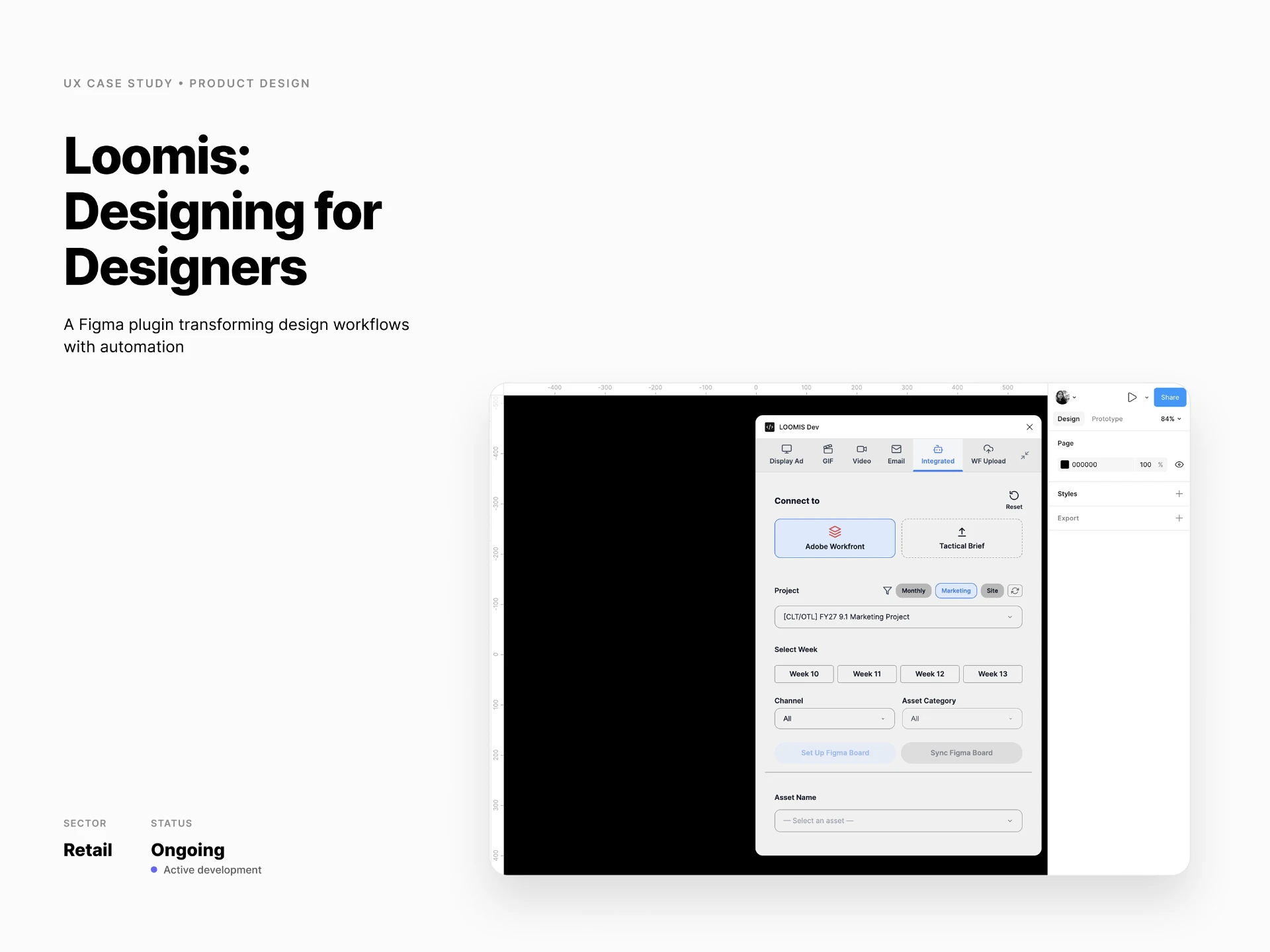
Loomis is an automation platform that helps creative teams with the work around design.
It started as an idea to generate emails through a Figma plugin. Over time, it grew to help with setting up workspaces, finding assets, creating GIFs, translating content to different language, and keeping project updates in sync across tools.
The idea is simple: take the repetitive operational work off the designer's plate, without taking away the creative part.
The problem
Too much time went into setting up and keeping workspace in sync.
Before designers could start working, they had to set up Figma files, create frames, find and prepare assets, gather content, and keep track of updates coming from different tools.
When something changed, they often had to go back and update the work manually, while making sure completed work wasn't affected.
These tasks were small, but they added up, especially across multiple deliverables, channels, and tools.
Impact
3–5h
Manual setup
~2m
Loomis setup
Setup time varies depending on the number and type of deliverables.
The process
01
Understanding the workflow
The first step was understanding what actually happened between receiving a brief and delivering the final creative.
We mapped the different steps, tools, and handoffs to see where designers were spending time on work that didn't involve designing.
02
Finding opportunities for automation
Not every step needed automation.
The focus was on repetitive tasks like setting up workspace, keeping work in sync, translating certain assets, and preparing work for delivery.
Creative decisions still stayed with the designer.
03
Testing and refining
We continuously tested ideas with other designers and applied them to current workflows to see how they worked in practice.
Feedback loops helped us spot gaps, rethink parts of the experience, and improve the product along the way.
04
Exploring what’s next
Loomis started as a simple idea to generate emails inside Figma. As we worked through the workflow, we began exploring how it could support more parts of the creative process.
That exploration is still ongoing, with new workflows and use cases being tested alongside current projects.
How Loomis works
01
From brief to workspace
A project usually started with a brief and a set of requirements.
Instead of starting with an empty Figma file, Loomis could create the workspace and prepare the structure needed for the project.
Frames, project information, and relevant assets could be brought together so designers could start working sooner.
02
Keeping workspace in sync
The workflow didn't end once the workspace was created.
Project information and requirements could change constantly, which meant designers had to keep checking for updates and manually reflect them in their work almost every day.
Loomis made these changes visible and allowed designers to sync workspace and review what needed to be updated.
What we improved along the way
As we tested the sync flow with designers, a few things became important to make updates easier to spot and act on.
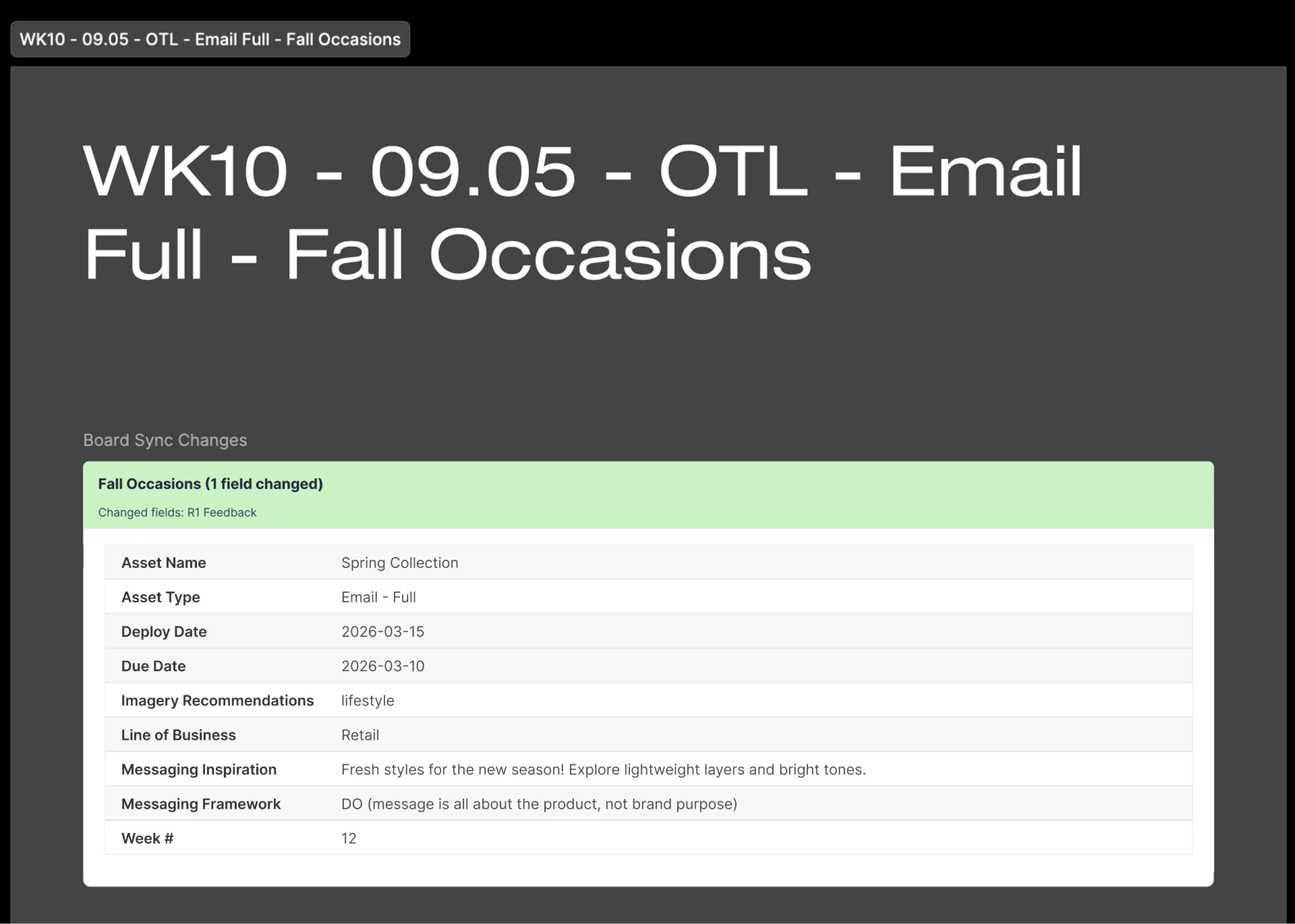
Highlighting updated assets
Updated assets are highlighted with a green field, making them easier to find when a workspace contains multiple assets and changes.
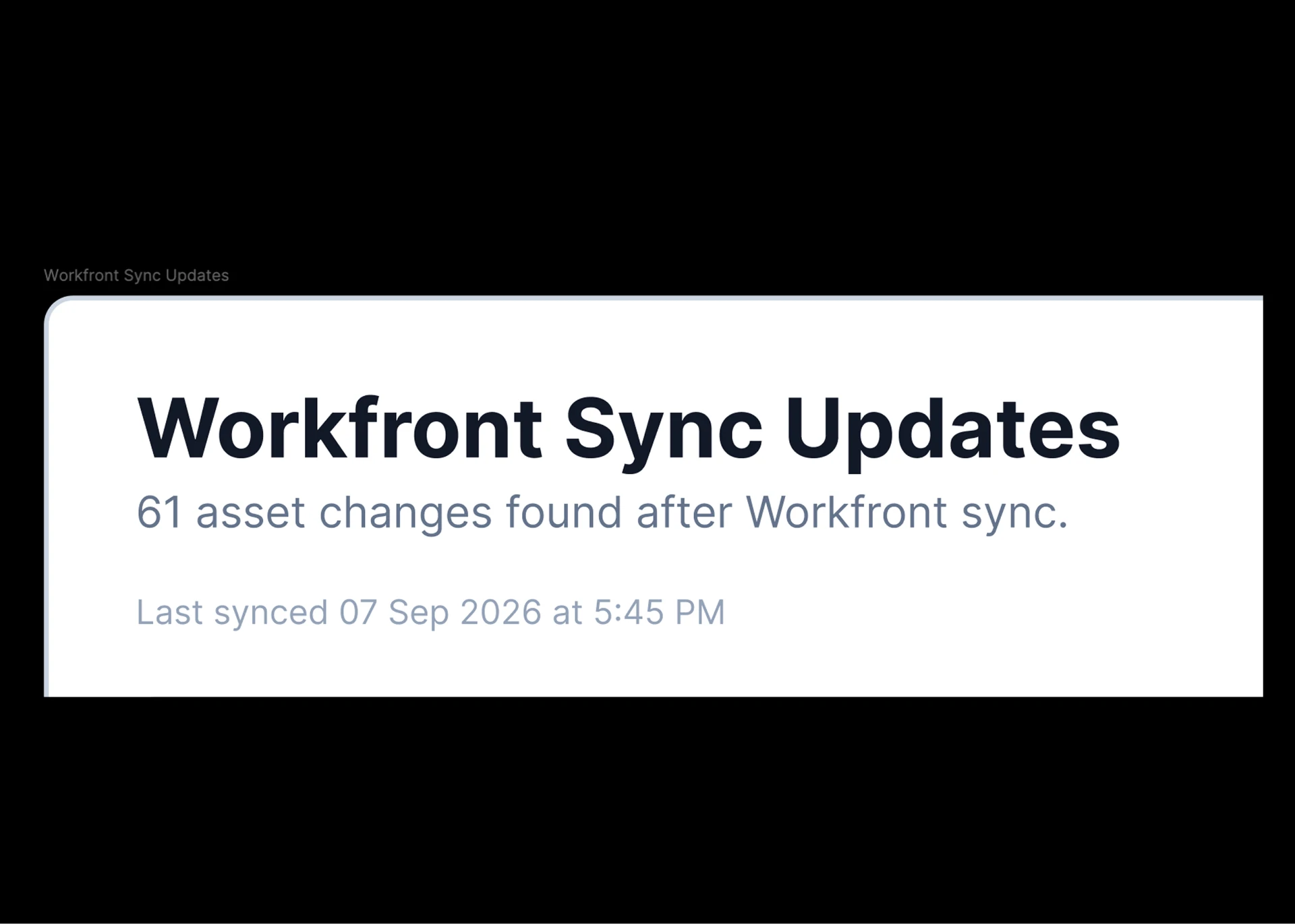
Showing the latest sync time
A sync timestamp helps designers know when the workspace was last updated, so there's less uncertainty about whether they're looking at the latest information.
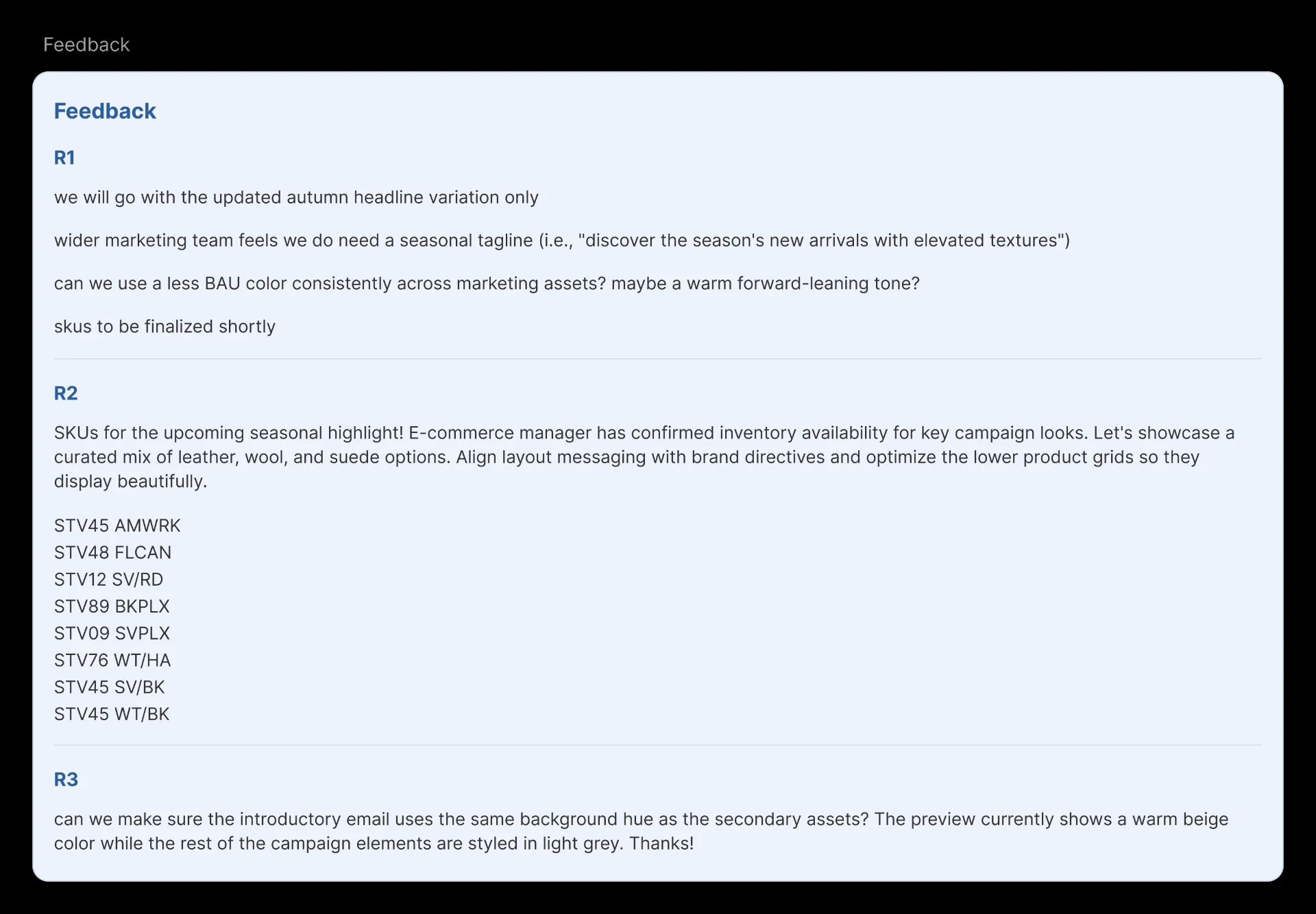
Bringing feedback into Figma
Feedback is synced directly on the Figma workspace, making it easier for designers to see and work on changes without switching between tools.
03
Translating to French
Loomis could help translate content to French versions, and prepare selected creative assets for delivery back into Workfront.
This reduced some of the back-and-forth while keeping the designer in control of what was sent out.
The workflows didn't stop here. Loomis also supports creating individual assets such as emailers, editing existing emails, creating GIFs, and uploading media to the delivery tool and much more.
As we kept adding to Loomis, we also had to keep testing these workflows with designers and improving the experience based on what we learned.
Testing and iterating
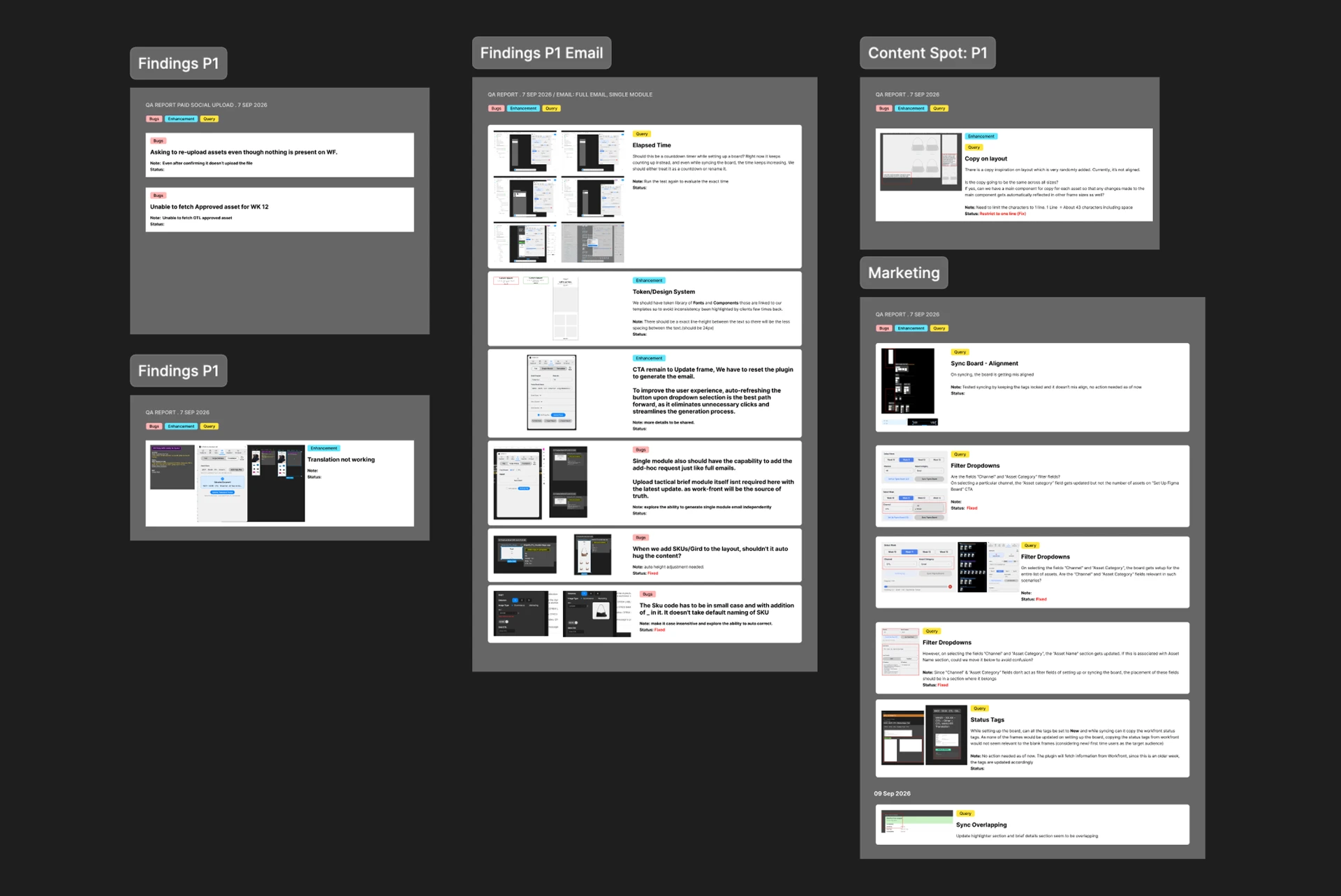
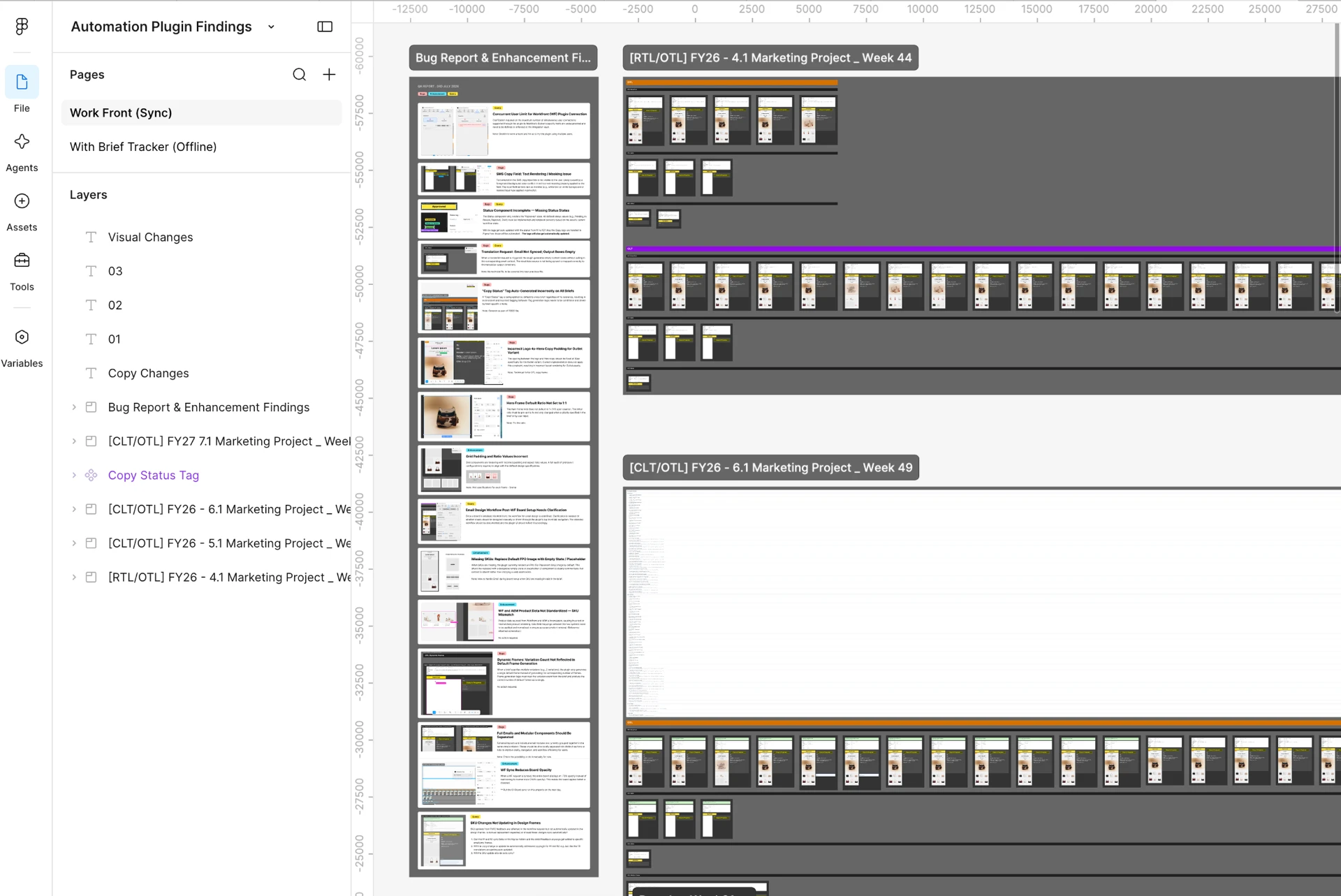
We regularly tested Loomis with other designers and applied it to current workflows. Their feedback helped us understand what was working, what was confusing, and what needed another look.
Making space for the workspace
As the plugin grew, one practical problem became harder to ignore: Loomis could take up a large part of the Figma workspace.
We explored a minimise option so designers could get the plugin out of the way when they needed more space to work, and bring it back when they needed it.
Challenges
01
Making automation understandable
As Loomis started handling more of the workflow, it became important for designers to understand what was happening and what had changed.
Solution: We made updates easier to spot and review before starting the work. We also held multiple sessions with teams to show how Loomis supported their existing workflow and gathered feedback.
02
Keeping completed work safe
A project could change after designers had already completed part of the work. Automatically updating everything could affect work that was already done.
Solution: Updates were limited to the relevant parts of the workspace, leaving worked-on frames untouched.
03
Deciding what to automate
We didn’t want to automate something just because we could. The focus was on parts of the workflow that were repetitive and took time away from the actual design work.
Solution: We automated majorly on things like setup, moving assets and information around, and keeping work updated, while designers continued to make the creative decisions.
The outcome
Loomis has grown quite a bit from where it started.
What began as an idea for generating emails now supports workspace setup, synching updates, assets, editing, GIFs, translation, and delivery.
The project is still evolving. We're continuing to apply Loomis to current workflows, trying out new use cases, and making improvements based on feedback.
What I took away
Working on Loomis made me think more carefully about where automation actually helps.
A lot of the work was figuring out what to automate, what to keep visible, and when the designer still needed to step in.
The best solutions were the ones that made the workflow easier without getting in the way of the design.